Code coverage tells you about your code. Test coverage tells you about your product.

Why TestMap exists — and why the green badge is lying to you.
One sentence framing the page: code coverage is a code metric; test coverage is a product metric. The site exists to draw that line in bright paint.
The architecture

Effortless to set up. Read-only by design.

Three lines in your test setup file. No changes to your app. No instrumentation, no new dashboards to maintain. TestMap observes what’s already happening — and renders the heatmap you’ve always wanted.
the flow

From CI to heatmap, in four beats.

Your tests run. TestMap listens. The heatmap glows. You ship without the dread. Four numbered steps with emoji glyphs and one-line descriptions each.

Observe.

TestMap watches your tests run.

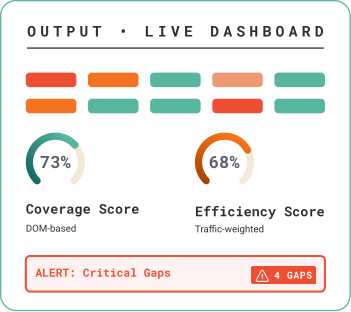
Critical Gaps, Ranked

TestMap watches your tests run.

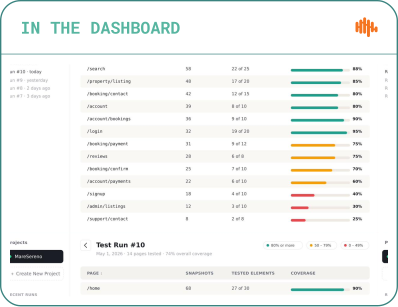
Test Run Diffs

TestMap watches your tests run.

Behavioral Drift, Surfaced

TestMap watches your tests run.
the flow

From CI to heatmap, in four beats.

Your tests run. TestMap listens. The heatmap glows. You ship without the dread. Four numbered steps with emoji glyphs and one-line descriptions each.
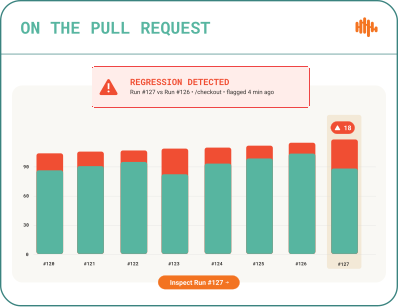
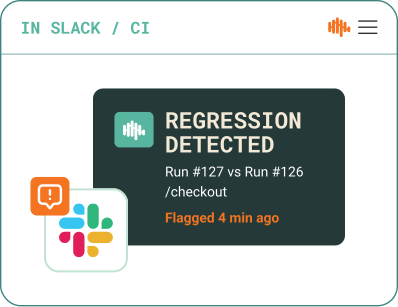
Catch coverage regressions before merge. Every Playwright, Selenium, and Cypress run produces a coverage diff against the previous run — new untested elements, drops in coverage, and critical gaps are surfaced in the dashboard, posted to the PR, and pinged in Slack or CI. Available on every plan.
What changes on your page

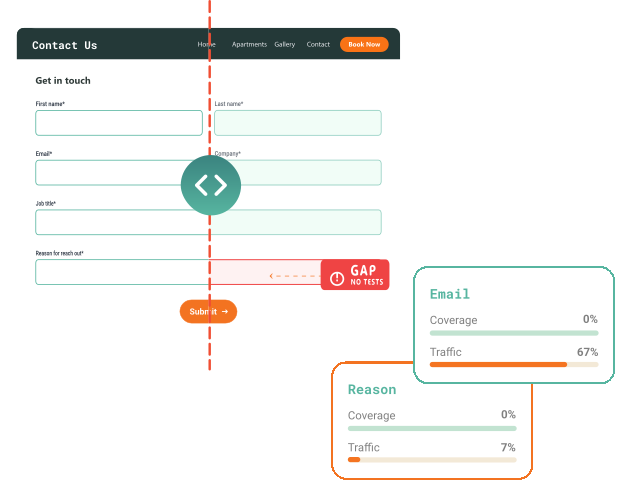
Your real UI, annotated.

Pixel-aligned to your DOM.

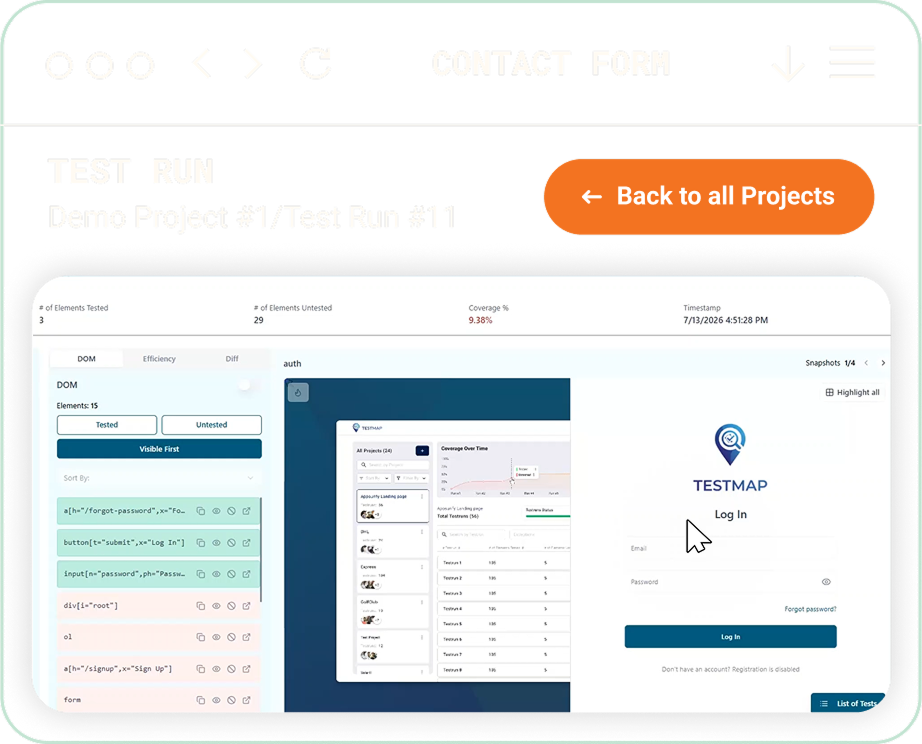
No separate tool. No abstract report. The heatmap overlays your actual page — every highlight tied to a real DOM selector, the traffic it serves, and the last test that touched it. Click a red element to see the test that needs to exist.

Security & Compliance

Your data, handled with care.

Hosted on Microsoft Azure.
Encrypted end to end.
We see what your tests touch.

TestMap is hosted on Microsoft Azure and follows industry-standard security practices — so you can plug us into your stack without adding a new risk review. We never see your application source code. The agent only reports what your tests interact with.

Common question

Lorem ipsum dolor sit amet consecteur elit sed.

Lorem ipsum dolor sit amet, consectetur adipiscing elit, sed do eiusmod tempor incididunt ut labore et dolore magna aliqua. Lorem ipsum dolor sit amet.

How do I find untested UI elements in my web app?
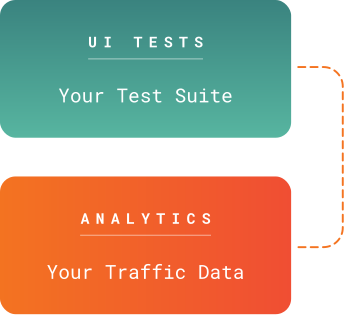
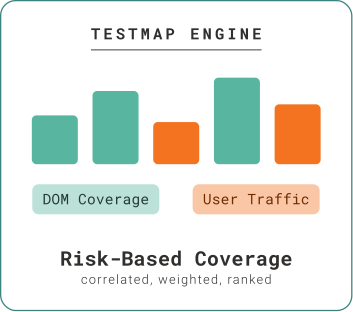
Run your existing test suite with the TestMap agent installed. The agent records every DOM element your tests interact with. TestMap then compares that against the full set of interactive elements on each page and flags the gaps. With GA4 connected, gaps are ranked by user traffic so you fix the highest-impact ones first.
Lorem ipsum dolor sit amet, consectetur adipiscing elit, sed do eiusmod tempor incididunt ut labore et dolore magna aliqua.
Lorem ipsum dolor sit amet, consectetur adipiscing elit, sed do eiusmod tempor incididunt ut labore et dolore magna aliqua. Lorem ipsum dolor sit amet, consectetur adipiscing elit, sed do eiusmod tempor incididunt ut labore et dolore magna aliqua. Lorem ipsum dolor sit amet, consectetur adipiscing elit, sed do eiusmod tempor incididunt ut labore et dolore magna aliqua. 
Lorem ipsum dolor sit amet, consectetur adipiscing elit, sed do eiusmod tempor incididunt ut labore et dolore magna aliqua.
Lorem ipsum dolor sit amet, consectetur adipiscing elit, sed do eiusmod tempor incididunt ut labore et dolore magna aliqua. Lorem ipsum dolor sit amet, consectetur adipiscing elit, sed do eiusmod tempor incididunt ut labore et dolore magna aliqua. Lorem ipsum dolor sit amet, consectetur adipiscing elit, sed do eiusmod tempor incididunt ut labore et dolore magna aliqua. 

10 minutes from install to live heatmap.

Copy-paste configs for Playwright, Selenium, and Cypress.