
How TestMap works.
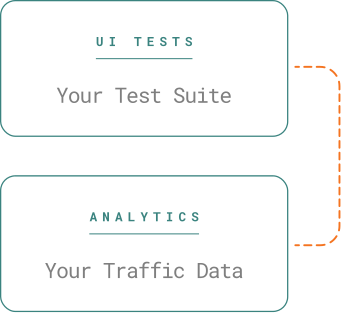
Two data streams, one heatmap: what your tests cover, weighted by what your users do.
Your tests say what’s covered. Your users say what matters.
Stream one: the TestMap plugin records the DOM as your Playwright or Selenium tests run — every page visited, every element clicked, typed into or selected. Stream two: Google Analytics 4 reports how many real users touch each of those elements. TestMap joins the two, so every element carries two numbers: usage and tests. Read-only by design — one import in your test project, one tag on your site, nothing injected into the app.
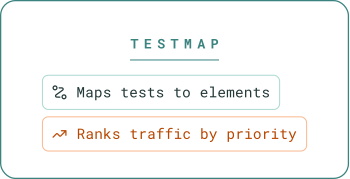
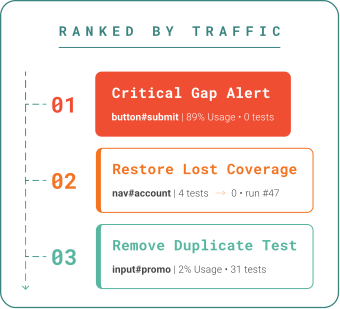
From CI to heatmap, in four steps.
Record.
Upload.
03
Map.
04
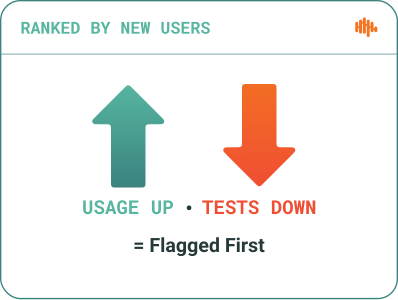
Rank.
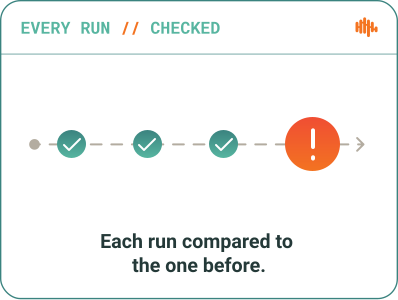
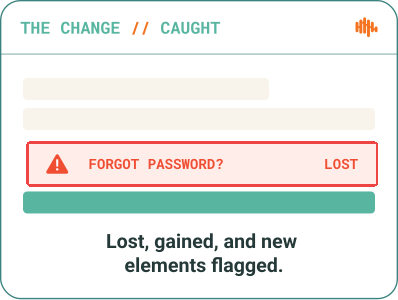
Every run is compared with the last.
What changed since the run before — and how much traffic it carries.
Four buckets, not a binary.
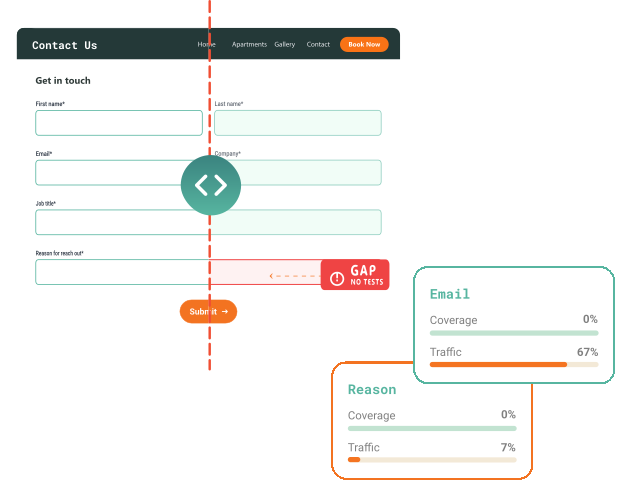
Tested-or-not is a start. Usage-versus-tests is a decision.
Not Tested
Real users hit it; no test does.
Under Tested
High usage, thin coverage.
Over-Tested
Low usage, many tests.
Optimized
Usage and tests in proportion.

73
out of 100
The Test Efficiency Score (TES)
Rolls the four buckets into one number from 0 to 100 for a page, a run or a project. It rises when tests sit where users are. It falls when traffic goes untested or tests pile up where nobody goes. One figure engineering leaders report quarter over quarter — and QA leads use to decide what to write next and what to delete.

Your data, handled with care.
Read-only by design.
Encrypted in transit and at rest.
We see what your tests touch — never your source code.
Each workspace runs at its own subdomain of testmap.cloud. The plugin records rendered DOM snapshots and test interactions from your test runner — it never reads, uploads or stores source files. The GA4 tracker sends element selectors as SHA-256 hashes and never sends form values. Every plugin is public on npm under @appsurify-testmap, so your security team can read exactly what it records.
The agent writes the test. TestMap tells it where.
TestMap’s MCP server (beta) gives Claude Code, Cursor, Copilot and any MCP client read-only access to the data your team sees: untested elements ranked by real traffic, zero-coverage pages and the latest Test Run Diff. The agent asks what to test next — before it touches a spec file.
npm: @appsurify-testmap/mcp-server · Beta features can change before general availability.
How do you use Google Analytics to decide what to test first?
Most teams prioritize by risk matrices and gut feel. Real traffic is a better signal: if 93% of usage sits in three features, those three need tests first. TestMap automates the comparison — GA4 says what users touch, your suite says what tests touch, and the difference, ranked by traffic, is your to-do list.
How does TestMap know which elements my tests touched?
The framework plugin records a DOM snapshot and every test interaction during the run, using stable element selectors. TestMap replays that recording server-side to mark each interactive element on each page as tested or untested. It reads the rendered DOM, not your source code, so it works the same for React, Vue, Angular or server-rendered apps.
Do I need Google Analytics to use TestMap?
No. DOM Coverage and Test Run Diffs work from your test recordings alone. Google Analytics 4 adds Behavioral Coverage, the four priority buckets and the Test Efficiency Score, which is why it is the first thing to connect after your first heatmap.
Which features should I test first?
The ones real users touch most that have the fewest tests. In TestMap that is the Not Tested bucket sorted by usage: a checkout button with 68% of sessions and zero tests ranks above a settings toggle with 2%. Work down the list and the Test Efficiency Score rises with each test.
What counts as an interactive element?
Buttons, links, inputs, selects, text areas, checkboxes, radios, and any element your tests or your users interact with. Elements are identified by a stable selector so they match between test recordings and GA4 events.
Does TestMap change my application code?
DOM Coverage needs no change to the application: the plugin lives in your test project. Behavioral Coverage needs one lightweight tracker tag on your site (a script tag or a Google Tag Manager tag) so GA4 receives element-level interaction events. The tracker hashes selectors by default, redacts form fields and sends no form values.